
We’re thrilled to announce that Hytale is now supported on ServerMiner! Getting started is incredibly easy, and this step-by-step tutorial will guide you on how to install Hytale on your server.
We are assuming that you have already purchased Hytale and have installed it on your PC. If you haven’t done this yet, please complete that step first and then return to this tutorial.
- Login to the SMpicnic Control Panel and navigate to your Server Manager page.
- Click on the Installer tab located on the left-hand side of the control panel.
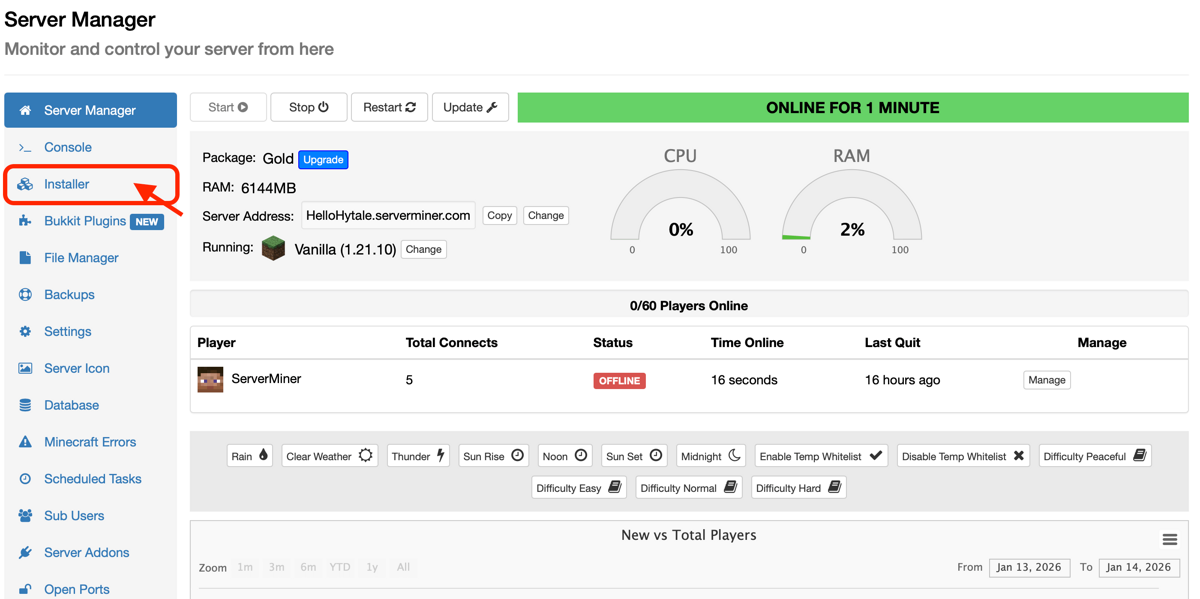
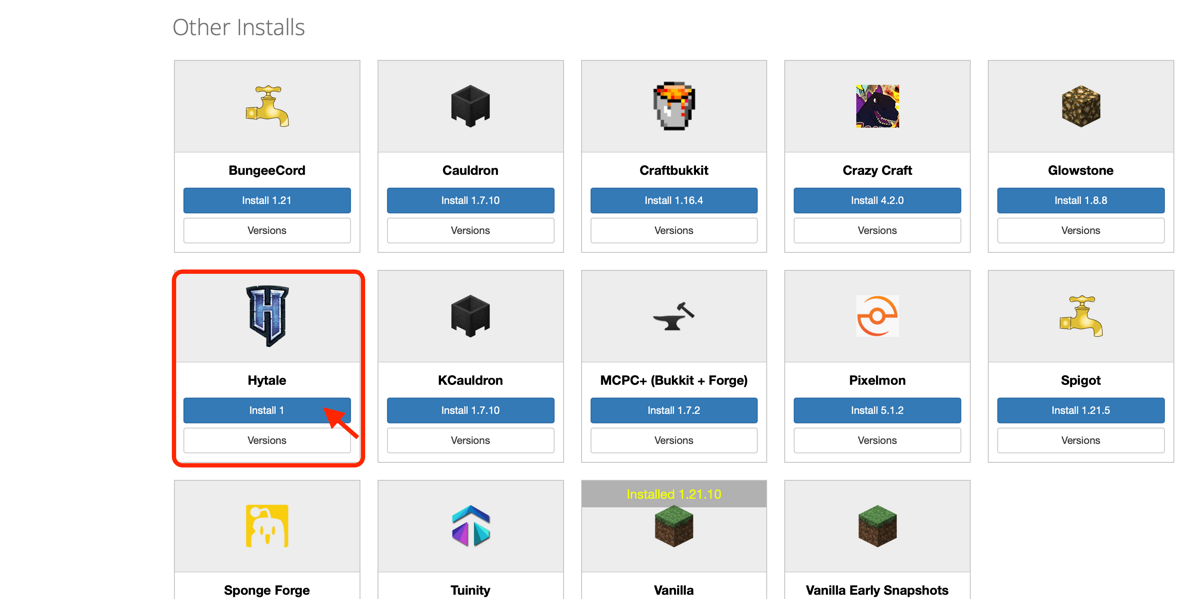
- Scroll down to Other Installs, find Hytale, and click Install.
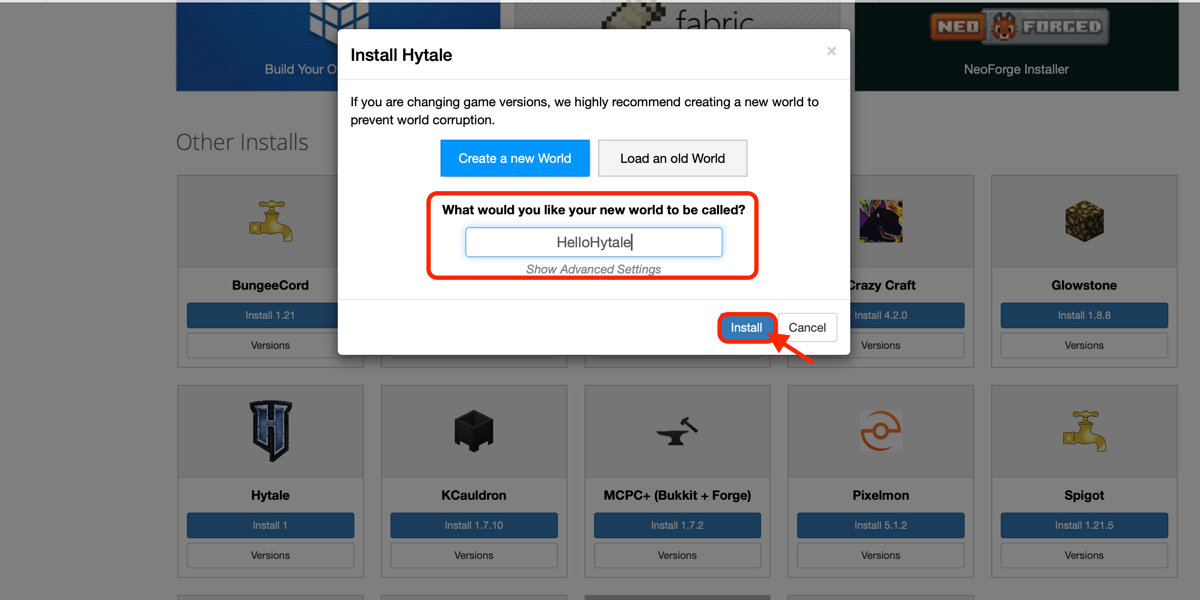
- Enter a name for your new Hytale world and click Install. You will then be automatically redirected to your control panel, where your server will start once the installation is complete.
- You have successfully installed Hytale on your server and are now ready for new adventures!
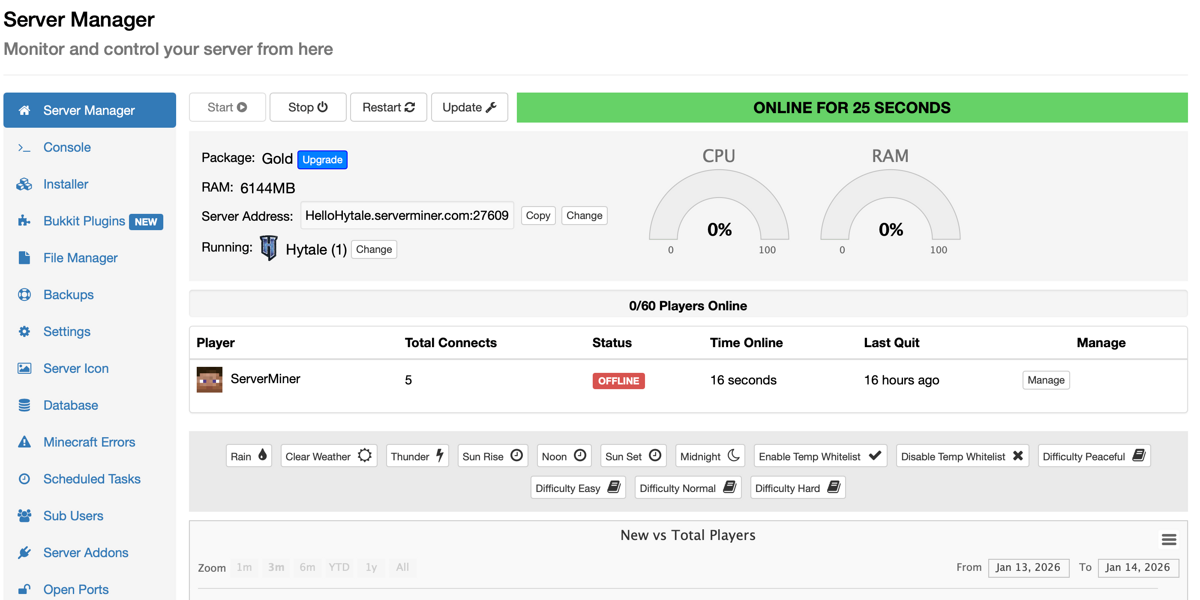
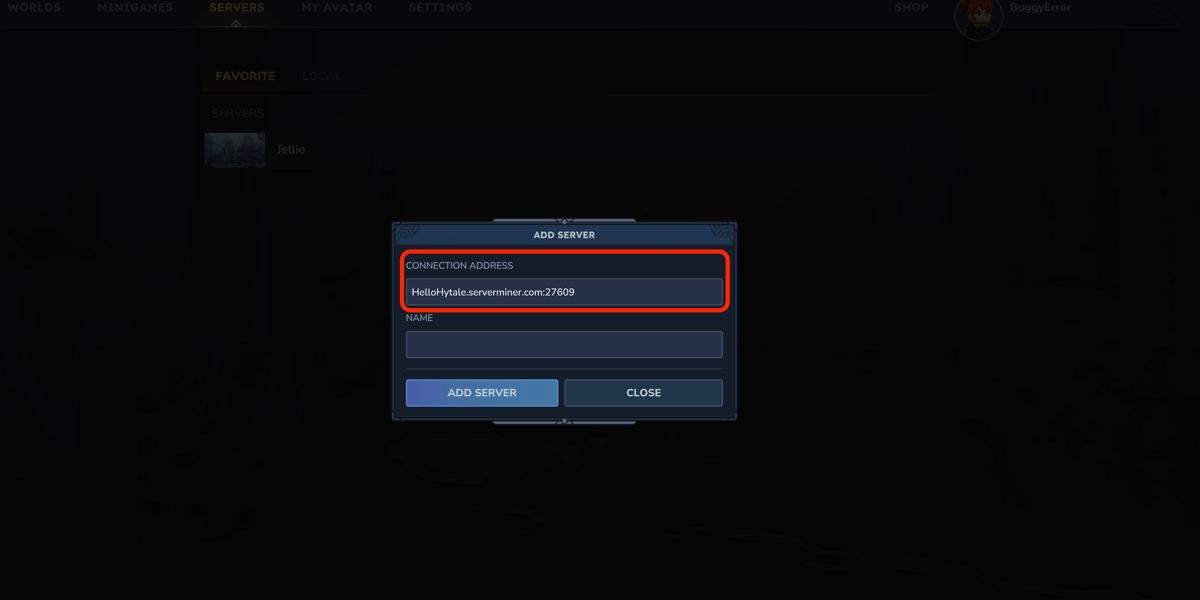
- Once you are ready to connect to Hytale, please enter the entire Server Address, including the port. You can also choose to name your Hytale world - the possibilities here are endless!
If you'd rather switch back to Minecraft, simply head back to the installer and install your chosen game version or modpack. Switching has never been easier!
If you're still having problems installing Hytale to your server, feel free to contact our support team at https://serverminer.com/contact and we will be happy to help you resolve the issue!
Happy Hytaling! ⛏️